
Candle Product Photography at Home: A Simple Shot Plan
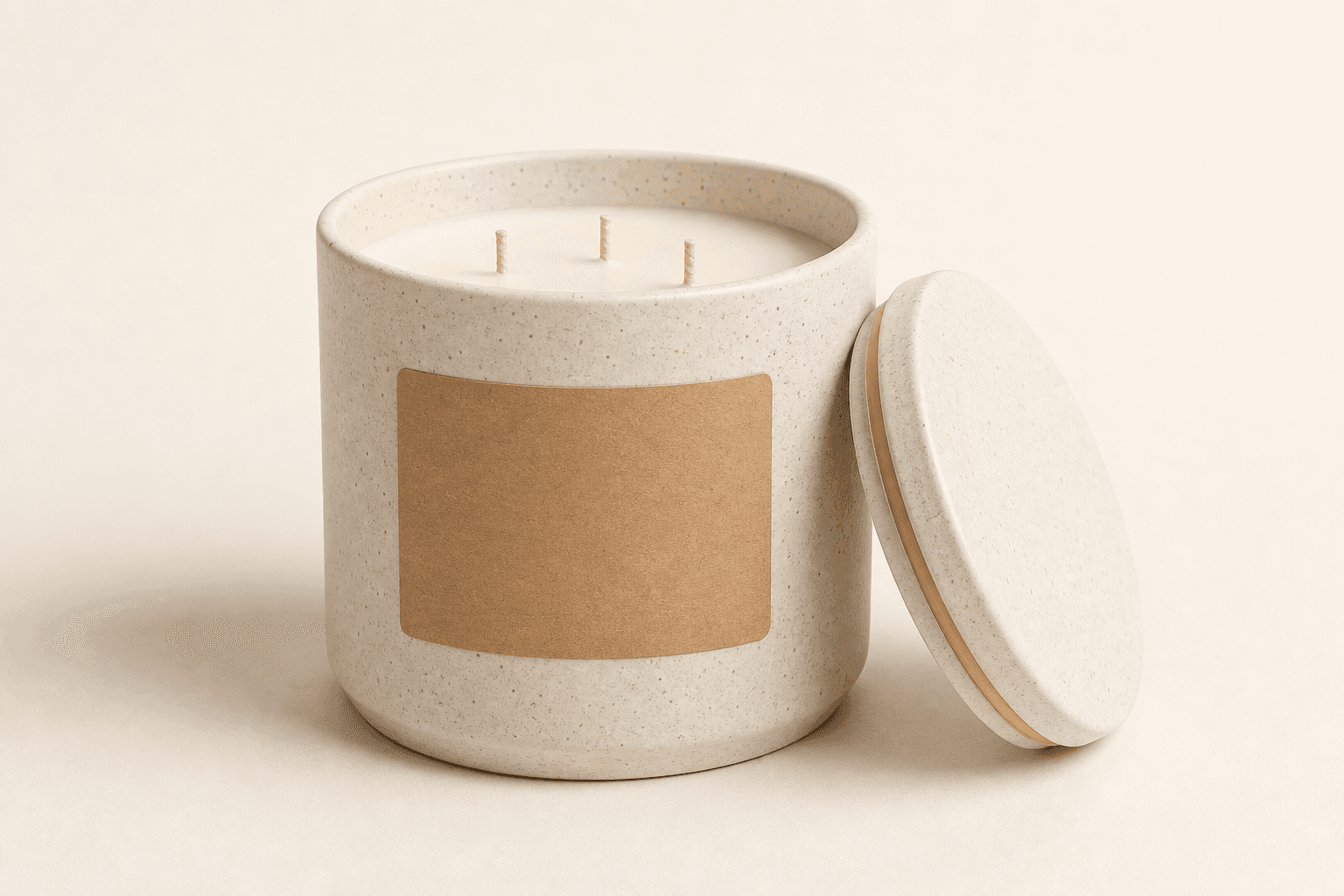
Reference photo

AI-generated illustration
A candle listing needs to show what the buyer will receive: the container, label, lid and scale. Start with one accurate reference photo. Then decide which extra scenes explain the product rather than simply decorate the page.
This guide uses a white candle jar as an example. The reference and AI illustration above are examples, not customer results or evidence of higher sales.
1. Build a simple window-light setup
Place the candle on a table near a window, with daylight arriving from the side. Turn off nearby lamps if they give the scene a different colour. Use a plain white or neutral background. A sheet of white card opposite the window can soften a dark shadow; use what you already have.
Keep the phone steady, clean its lens and photograph from the jar’s height. Tap the label to focus and lower the exposure if the white container loses its detail. Take a second frame with slightly different exposure rather than relying on a filter to fix a badly lit photo.
For a broader beginner setup, Shopify’s DIY product photography guide covers a phone, window light and a simple background.
2. Capture these five useful images
- Front reference: the whole jar and its readable label, on a simple background.
- Lid and packaging: show the actual items included. Avoid suggesting a gift box is included if it is sold separately.
- Texture detail: photograph the wax, wick and container finish close enough to inspect.
- Scale: include a real hand or clearly state dimensions beside your photo. Do not rely on an AI scene to prove size.
- One lifestyle scene: show a plausible place to use the candle, with a clear, uncluttered view of the product.
3. Photograph the actual packaging before making variations
Save your clean front photo before experimenting. If a generated image changes the label, jar shape or lid, compare it with that reference. An attractive scene is not useful if it shows a different item.
For an exact label or a detail that affects the purchase decision, use your original photograph. AI scenes are an optional way to explore backgrounds and mood, not a substitute for documenting the real product.
4. Try a restrained lifestyle prompt
Upload your reference photo and start with one setting. Here is a copyable example:
Use my reference photo of a candle in a white ceramic jar. Place it on a wooden bedside table with soft window light and a neutral wall. Keep the label, jar shape, colour and lid unchanged. Keep props in the background and the full product visible. Do not add text or packaging.
For a clean catalog direction:
Use my candle reference. Create a front-facing product photo on a plain white background with soft diffused light and a subtle shadow. Preserve the original jar, label, colours and proportions. Show only items present in the reference. Square framing.
You can adapt either instruction in the free product photography prompt generator. It creates text without an account or an image-generation charge.
5. Review the result at thumbnail and full size
- At thumbnail size, can you recognise the candle and separate it from the background?
- At full size, is every label character correct? Are the rim, wick and lid believable?
- Are colour and texture close to the real item, without invented accessories?
- Does the scene imply a size or an included item you cannot deliver?
Keep the real reference and the useful variations together. Upload only the images you have checked. If you want to create a scene in ProductShotAI, the guided studio accepts JPG or PNG references up to 10 MB. Choose 4K for 1 credit or 8K for 2; Starter contains 5 credits for $4.95 USD, with no subscription.
Questions candle sellers ask
Can I start with a phone photo?
Yes. A sharp, well-lit image with the entire jar visible is a useful starting point. Readable text and a clear product outline matter more than an elaborate set.
Should I add props to the main product photo?
Keep an accurate, simple image of the actual product in your set. Use extra scenes to show atmosphere. Check the current image rules of the marketplace where you sell before choosing the main image.
Can AI preserve the exact candle label?
It can try, but it is not guaranteed. Inspect the text and packaging against the original. If exact label fidelity is essential, use your real photo for that image.
Related: product photography prompts with worked examples and the three-step photo studio workflow.